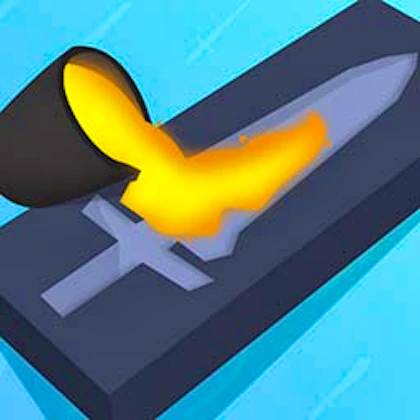
Blade Forge 3D
Enter the intense world of Blade Forge 3D, where creativity meets combat. As the master blacksmith, design and craft custom swords, then sharpen them to perfection. Face off against rivals testing your creations' might in battles that combine art and strategy. Are your blades ready to shine?
About Blade Forge 3D
Blade Forge 3D is listed in our simulation collection and is supplied through GamePix. Publisher description: Enter the intense world of Blade Forge 3D, where creativity meets combat. As the master blacksmith, design and craft custom swords, then sharpen them to perfection. Face off against rivals testing your creations' might in battles that combine art and strategy. Are your blades ready to shine? The embedded game and its own instructions determine its rules; the category label alone does not establish its controls or device support.
- Category
- Simulation
- Price
- Free to play
- Platform
- Browser; support varies
- Download
- Not required
How to play Blade Forge 3D
Before playing
Read the game's start screen or help menu for its objective and actual controls. We do not infer key bindings from its category.
Desktop or phone
Use the keyboard, mouse or touch controls shown by the game. Touch support and orientation depend on the publisher's implementation; if controls are unavailable, try another device.
Fullscreen
Use the Fullscreen control above the game. Your browser may require a tap or click first and may not support automatic rotation.
Loading and control troubleshooting
- →If the game stays blank, wait for its own loading screen, then reload once. The game depends on a third-party host, which can be unavailable independently of this website.
- →If input does not respond, click or tap the game area to give it focus. Check its instructions before trying keyboard shortcuts.
- →Use Contact us to report the game title, your device and the step where play stopped. Do not include passwords or payment information.
Blade Forge 3D — frequently asked questions
Who supplies Blade Forge 3D?
This is a third-party GamePix game embedded in the Play with Coding arcade. Its gameplay, updates and any in-game advertising are controlled by its publisher, not authored as a coding lesson by our team.
Does this game teach programming?
The arcade is a recreational break. Playing an embedded game is not a programming exercise or a certification assessment. For coding practice, use the linked courses and compiler.
Is a download required?
No installation is required to open the embedded browser game. Availability, loading time and touch support depend on the game and your browser.
More simulation games and free coding practice
Enjoyed Blade Forge 3D? Browse the rest of the arcade, then take a break from playing and write some code — our in-browser compiler runs 11 languages and the courses cover 17 chapters each.